
Guide · Cross-Industry
Local AI for a One-Person Startup or Small Business
A practical local AI infrastructure guide for founders and small teams comparing RTX 4090 and RTX 5090 workstations, Apple Mac Studio, DGX Spark-class appliances, rackmount GPU servers, and workstation-plus-NAS architectures.
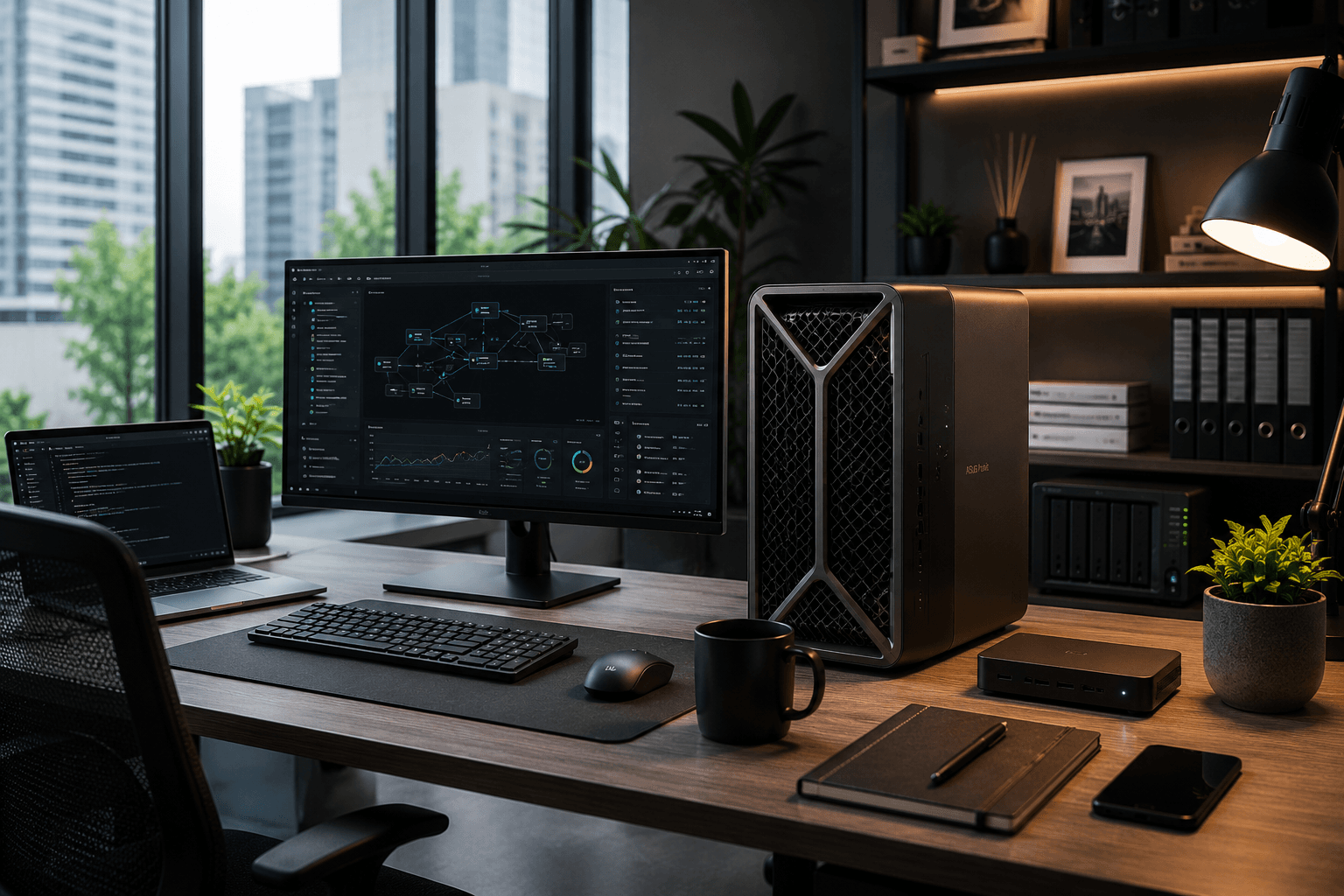
A one-person startup or small business does not need enterprise theater. It needs a private AI system that can help with documents, writing, coding, research, sales material, customer support drafts, internal knowledge search, and repeatable workflows without turning every prompt into a cloud dependency. The system has to be reliable enough for work, but not so complex that it requires a full-time infrastructure engineer.
The realistic budget range is $3,000 to $15,000. Below $3,000, this is usually still a hobbyist build. Above $15,000, the discussion starts becoming server architecture, procurement, and support contracts. The best default for most small businesses is a high-end single-GPU workstation with simple storage and a clean software layer.
Foundation: Build Your First Local AI Server
The broader Black Scarab guide to local AI infrastructure, VRAM math, bandwidth, and inference software.
AI Hardware Roadmap
A wider view of the hardware platforms shaping edge AI, local AI, and physical AI deployments.
Intel OpenVINO Deployment Guide
A deeper look at model optimization, cross-platform inference, and enterprise edge deployment patterns.
1. Reader Profile
This guide is for founders, consultants, small agencies, technical solo operators, and small teams that want private AI capability for real work. The priority is not winning a benchmark. The priority is getting a dependable machine that can run useful models, serve one to ten people, retrieve internal documents, and stay understandable when something breaks.
The tradeoffs are different from hobbyist builds. Used hardware can still be attractive, but downtime costs more. Noise and heat matter if the system sits in an office. Access control matters if more than one person uses it. Backups matter because business documents are involved. The software stack should be boring, visible, and recoverable.
2. Budget Range
The realistic budget range is $3,000 to $15,000. At the low end, a single RTX 4090 workstation or high-memory Mac Studio can cover a serious one-person operation. In the middle, an RTX 5090 workstation, DGX Spark-class appliance, or workstation-plus-NAS architecture becomes viable. At the high end, a small rackmount GPU server makes sense only if multiple users or always-on workloads justify the complexity.
RTX 5090, DGX Spark, Mac Studio, and rackmount pricing should be manually verified before purchase. Availability, reseller markups, warranty terms, and memory/storage configurations can move the final price materially.
Small Business Budget Bands
$3,000-$5,500
Likely Setup
RTX 4090 workstation or high-memory Mac mini / Mac Studio
What It Buys
Strong single-user local AI, document workflows, and coding support.
Main Risk
Limited concurrency and limited upgrade headroom.
$5,500-$9,000
Likely Setup
RTX 5090 workstation, Mac Studio high-memory configuration, or workstation plus NAS
What It Buys
More headroom for larger models, better storage discipline, and better daily reliability.
Main Risk
Pricing and availability require verification; software architecture still matters.
$9,000-$15,000
Likely Setup
DGX Spark-class appliance or small rackmount GPU server
What It Buys
Cleaner appliance path or server-style expansion for multiple users.
Main Risk
Can become overkill if the business has not defined workflows clearly.
| Budget | Likely Setup | What It Buys | Main Risk |
|---|---|---|---|
| $3,000-$5,500 | RTX 4090 workstation or high-memory Mac mini / Mac Studio | Strong single-user local AI, document workflows, and coding support. | Limited concurrency and limited upgrade headroom. |
| $5,500-$9,000 | RTX 5090 workstation, Mac Studio high-memory configuration, or workstation plus NAS | More headroom for larger models, better storage discipline, and better daily reliability. | Pricing and availability require verification; software architecture still matters. |
| $9,000-$15,000 | DGX Spark-class appliance or small rackmount GPU server | Cleaner appliance path or server-style expansion for multiple users. | Can become overkill if the business has not defined workflows clearly. |
The buyer should define the workflows before buying the machine. Hardware cannot fix an unclear use case.
3. Configuration Options
The small-business buyer should compare systems by reliability and workflow fit, not only VRAM. An RTX 4090 workstation remains a strong practical baseline. An RTX 5090 workstation may be appropriate where pricing, availability, power, and software support are verified. A high-memory Mac Studio is attractive for quiet private workflows. DGX Spark-class appliances are interesting for teams that want NVIDIA coherence without assembling a workstation. A small rackmount GPU server only makes sense when the business is ready to manage a server. A workstation plus NAS is often the least glamorous but most useful architecture.
Small Business Configuration Comparison
NVIDIA RTX 4090 workstation
Approx. Cost
$3,500-$6,000
Advantages
24GB VRAM, mature CUDA support, strong image generation and local inference.
Disadvantages
Single-card VRAM ceiling; not ideal for many simultaneous users.
NVIDIA RTX 5090 workstation
Approx. Cost
$5,000-$8,500+
Advantages
Approximate 32GB-class consumer GPU path with stronger headroom if pricing is reasonable.
Disadvantages
Pricing, availability, thermals, driver maturity, and exact configuration must be verified.
Apple Mac Studio high-memory configuration
Approx. Cost
$4,000-$10,000+
Advantages
Quiet, compact, high unified memory options, good private knowledge workflows.
Disadvantages
Not CUDA; lower raw GPU serving throughput than high-end discrete NVIDIA cards.
NVIDIA DGX Spark-class appliance
Approx. Cost
$3,000-$5,000+ depending on channel and configuration
Advantages
NVIDIA software path, coherent memory, compact developer appliance model.
Disadvantages
Not a raw bandwidth monster; category and street pricing should be verified.
Small rackmount GPU server
Approx. Cost
$8,000-$15,000+
Advantages
Server form factor, remote management, better multi-user path.
Disadvantages
Noise, heat, rack power, and administration burden.
Workstation plus NAS storage
Approx. Cost
$4,500-$9,000
Advantages
Separates compute from business documents, improves backup discipline.
Disadvantages
More moving parts than one local machine.
| Configuration | Approx. Cost | Advantages | Disadvantages |
|---|---|---|---|
| NVIDIA RTX 4090 workstation | $3,500-$6,000 | 24GB VRAM, mature CUDA support, strong image generation and local inference. | Single-card VRAM ceiling; not ideal for many simultaneous users. |
| NVIDIA RTX 5090 workstation | $5,000-$8,500+ | Approximate 32GB-class consumer GPU path with stronger headroom if pricing is reasonable. | Pricing, availability, thermals, driver maturity, and exact configuration must be verified. |
| Apple Mac Studio high-memory configuration | $4,000-$10,000+ | Quiet, compact, high unified memory options, good private knowledge workflows. | Not CUDA; lower raw GPU serving throughput than high-end discrete NVIDIA cards. |
| NVIDIA DGX Spark-class appliance | $3,000-$5,000+ depending on channel and configuration | NVIDIA software path, coherent memory, compact developer appliance model. | Not a raw bandwidth monster; category and street pricing should be verified. |
| Small rackmount GPU server | $8,000-$15,000+ | Server form factor, remote management, better multi-user path. | Noise, heat, rack power, and administration burden. |
| Workstation plus NAS storage | $4,500-$9,000 | Separates compute from business documents, improves backup discipline. | More moving parts than one local machine. |
For a one-person startup, a workstation plus disciplined storage is usually better than a small server bought too early.
4. Cost Table
Small-business cost math changes because downtime, support, and document loss matter. A local system becomes cheaper than cloud when it replaces multiple subscriptions, handles sensitive files, supports repeat daily workflows, or reduces API usage. It is not cheaper if the team only asks a few casual questions per week.
Small Business Local AI Cost Model
Hardware upfront cost
Typical Range
$3,000-$15,000
What to Verify
Warranty, support, return policy, workstation class, and business continuity needs.
Cloud Alternative
Subscriptions and API usage with no hardware ownership.
GPU / accelerator cost
Typical Range
$1,500-$6,000+
What to Verify
VRAM, memory bandwidth, CUDA support, driver stability, replacement availability.
Cloud Alternative
Provider handles accelerators, but you depend on provider pricing and policies.
Storage cost
Typical Range
$300-$2,500
What to Verify
2TB-8TB SSD/NAS capacity, redundancy, backup drive, snapshot support.
Cloud Alternative
Cloud storage and hosted document tools remain separate line items.
Networking cost
Typical Range
$150-$1,000
What to Verify
2.5GbE or 10GbE if using NAS or shared office access.
Cloud Alternative
Cloud only needs stable internet but every workflow depends on it.
Power estimate
Typical Range
200W-800W under load
What to Verify
Electricity rate, duty cycle, UPS sizing, and office heat.
Cloud Alternative
Power cost is embedded in hosted pricing.
Cooling considerations
Typical Range
$100-$1,000
What to Verify
Office noise, case airflow, server closet ventilation.
Cloud Alternative
Provider handles thermals.
Software cost
Typical Range
$0-$2,000+
What to Verify
Core stack can be free; budget for backup, monitoring, remote access, or paid support.
Cloud Alternative
Hosted tools include product polish and support.
Maintenance burden
Typical Range
Medium
What to Verify
One technical owner must handle updates, backups, access, and model changes.
Cloud Alternative
Cloud maintenance is easier but less private.
When local becomes cheaper
Typical Range
Often after 9-24 months
What to Verify
Depends on subscriptions replaced, API usage avoided, and employee time saved.
Cloud Alternative
Cloud wins for rare, bursty, or frontier-only use.
| Cost Area | Typical Range | What to Verify | Cloud Alternative |
|---|---|---|---|
| Hardware upfront cost | $3,000-$15,000 | Warranty, support, return policy, workstation class, and business continuity needs. | Subscriptions and API usage with no hardware ownership. |
| GPU / accelerator cost | $1,500-$6,000+ | VRAM, memory bandwidth, CUDA support, driver stability, replacement availability. | Provider handles accelerators, but you depend on provider pricing and policies. |
| Storage cost | $300-$2,500 | 2TB-8TB SSD/NAS capacity, redundancy, backup drive, snapshot support. | Cloud storage and hosted document tools remain separate line items. |
| Networking cost | $150-$1,000 | 2.5GbE or 10GbE if using NAS or shared office access. | Cloud only needs stable internet but every workflow depends on it. |
| Power estimate | 200W-800W under load | Electricity rate, duty cycle, UPS sizing, and office heat. | Power cost is embedded in hosted pricing. |
| Cooling considerations | $100-$1,000 | Office noise, case airflow, server closet ventilation. | Provider handles thermals. |
| Software cost | $0-$2,000+ | Core stack can be free; budget for backup, monitoring, remote access, or paid support. | Hosted tools include product polish and support. |
| Maintenance burden | Medium | One technical owner must handle updates, backups, access, and model changes. | Cloud maintenance is easier but less private. |
| When local becomes cheaper | Often after 9-24 months | Depends on subscriptions replaced, API usage avoided, and employee time saved. | Cloud wins for rare, bursty, or frontier-only use. |
5. Component Breakdown
The default small-business build should be a workstation, not a fragile hobby machine. That means a reliable CPU platform, one high-end NVIDIA GPU or high-memory Apple system, 64GB to 128GB system RAM where applicable, 2TB to 4TB fast local storage, optional NAS for business documents, a UPS, and a backup path that is tested before the system holds important files.
Small Business Component Breakdown
CPU
RTX 4090 / 5090 Workstation
Modern Ryzen 9, Intel Core i9, Threadripper, or workstation CPU.
Mac Studio High-Memory
Apple Silicon integrated CPU.
Rackmount / Appliance Path
Server CPU or appliance-integrated processor.
GPU / accelerator
RTX 4090 / 5090 Workstation
RTX 4090 24GB or RTX 5090-class card if verified.
Mac Studio High-Memory
Integrated Apple GPU.
Rackmount / Appliance Path
NVIDIA GPU, Grace Blackwell-class appliance, or server GPU depending on SKU.
VRAM / unified memory
RTX 4090 / 5090 Workstation
24GB to 32GB-class VRAM depending on GPU.
Mac Studio High-Memory
64GB to 512GB unified memory depending on configuration.
Rackmount / Appliance Path
Varies widely; verify exact memory architecture.
System RAM
RTX 4090 / 5090 Workstation
64GB minimum, 128GB preferred.
Mac Studio High-Memory
Unified memory shared by system and model.
Rackmount / Appliance Path
128GB+ depending on user count and retrieval stack.
Storage
RTX 4090 / 5090 Workstation
2TB NVMe minimum; 4TB preferred.
Mac Studio High-Memory
2TB+ internal plus external backup or NAS.
Rackmount / Appliance Path
NVMe for models plus NAS or server storage for documents.
Networking
RTX 4090 / 5090 Workstation
2.5GbE minimum if shared; 10GbE for NAS-heavy workflows.
Mac Studio High-Memory
10GbE recommended when using shared storage.
Rackmount / Appliance Path
10GbE+ depending on users and storage architecture.
Power supply
RTX 4090 / 5090 Workstation
Quality 1000W class for high-end NVIDIA workstations.
Mac Studio High-Memory
Integrated Apple power design.
Rackmount / Appliance Path
Server-rated redundant power where appropriate.
Cooling
RTX 4090 / 5090 Workstation
Quiet high-airflow workstation cooling.
Mac Studio High-Memory
Integrated quiet cooling.
Rackmount / Appliance Path
Server room or closet ventilation required.
Operating system
RTX 4090 / 5090 Workstation
Ubuntu preferred for server-like use; Windows acceptable for desktop workflows.
Mac Studio High-Memory
macOS.
Rackmount / Appliance Path
Ubuntu Server, enterprise Linux, or vendor appliance OS.
AI runtime stack
RTX 4090 / 5090 Workstation
Ollama for simplicity; vLLM for concurrency; Open WebUI for users.
Mac Studio High-Memory
Ollama, MLX, LM Studio, Open WebUI.
Rackmount / Appliance Path
vLLM, SGLang, TensorRT-LLM, containers where appropriate.
Management layer
RTX 4090 / 5090 Workstation
Open WebUI, user accounts, backups, basic monitoring.
Mac Studio High-Memory
Local apps, Open WebUI, macOS backup tooling.
Rackmount / Appliance Path
Remote management, logging, authentication, monitoring, backup policy.
| Component | RTX 4090 / 5090 Workstation | Mac Studio High-Memory | Rackmount / Appliance Path |
|---|---|---|---|
| CPU | Modern Ryzen 9, Intel Core i9, Threadripper, or workstation CPU. | Apple Silicon integrated CPU. | Server CPU or appliance-integrated processor. |
| GPU / accelerator | RTX 4090 24GB or RTX 5090-class card if verified. | Integrated Apple GPU. | NVIDIA GPU, Grace Blackwell-class appliance, or server GPU depending on SKU. |
| VRAM / unified memory | 24GB to 32GB-class VRAM depending on GPU. | 64GB to 512GB unified memory depending on configuration. | Varies widely; verify exact memory architecture. |
| System RAM | 64GB minimum, 128GB preferred. | Unified memory shared by system and model. | 128GB+ depending on user count and retrieval stack. |
| Storage | 2TB NVMe minimum; 4TB preferred. | 2TB+ internal plus external backup or NAS. | NVMe for models plus NAS or server storage for documents. |
| Networking | 2.5GbE minimum if shared; 10GbE for NAS-heavy workflows. | 10GbE recommended when using shared storage. | 10GbE+ depending on users and storage architecture. |
| Power supply | Quality 1000W class for high-end NVIDIA workstations. | Integrated Apple power design. | Server-rated redundant power where appropriate. |
| Cooling | Quiet high-airflow workstation cooling. | Integrated quiet cooling. | Server room or closet ventilation required. |
| Operating system | Ubuntu preferred for server-like use; Windows acceptable for desktop workflows. | macOS. | Ubuntu Server, enterprise Linux, or vendor appliance OS. |
| AI runtime stack | Ollama for simplicity; vLLM for concurrency; Open WebUI for users. | Ollama, MLX, LM Studio, Open WebUI. | vLLM, SGLang, TensorRT-LLM, containers where appropriate. |
| Management layer | Open WebUI, user accounts, backups, basic monitoring. | Local apps, Open WebUI, macOS backup tooling. | Remote management, logging, authentication, monitoring, backup policy. |
6. Model Capability Table
A small business should decide whether it needs one strong single-user experience or shared access. A 24GB card can run many useful quantized models, but concurrency changes the math. Long context, document retrieval, and multiple users increase KV cache and memory pressure. For production-like shared use, model size is only one part of the architecture.
Small Business Model Capability
7B
Single-GPU Workstation
Comfortable, fast, good for shared lightweight workflows.
High-Memory Mac Studio
Comfortable.
Small Server / Appliance
Comfortable.
Practical Notes
Best for fast assistants, routing, classification, and low-cost internal tools.
13B
Single-GPU Workstation
Comfortable with quantization; often the daily sweet spot.
High-Memory Mac Studio
Comfortable if memory is sufficient.
Small Server / Appliance
Comfortable.
Practical Notes
Good quality-speed balance for writing, support drafts, and coding help.
34B
Single-GPU Workstation
Realistic on 24GB/32GB GPUs with 4-bit quantization and context discipline.
High-Memory Mac Studio
Realistic on high-memory systems, speed varies.
Small Server / Appliance
Realistic depending on accelerator memory.
Practical Notes
Stronger reasoning, but less forgiving for multiple users.
70B
Single-GPU Workstation
Possible with compromises; not the default for concurrency.
High-Memory Mac Studio
Possible on large unified-memory configurations, usually slower.
Small Server / Appliance
More realistic on server or appliance systems.
Practical Notes
Use selectively for high-value tasks, not every internal prompt.
100B+
Single-GPU Workstation
Generally not appropriate on one GPU.
High-Memory Mac Studio
Possible only on very high-memory configs with speed tradeoffs.
Small Server / Appliance
Requires serious architecture planning.
Practical Notes
Cloud or enterprise infrastructure may be more rational.
| Model Class | Single-GPU Workstation | High-Memory Mac Studio | Small Server / Appliance | Practical Notes |
|---|---|---|---|---|
| 7B | Comfortable, fast, good for shared lightweight workflows. | Comfortable. | Comfortable. | Best for fast assistants, routing, classification, and low-cost internal tools. |
| 13B | Comfortable with quantization; often the daily sweet spot. | Comfortable if memory is sufficient. | Comfortable. | Good quality-speed balance for writing, support drafts, and coding help. |
| 34B | Realistic on 24GB/32GB GPUs with 4-bit quantization and context discipline. | Realistic on high-memory systems, speed varies. | Realistic depending on accelerator memory. | Stronger reasoning, but less forgiving for multiple users. |
| 70B | Possible with compromises; not the default for concurrency. | Possible on large unified-memory configurations, usually slower. | More realistic on server or appliance systems. | Use selectively for high-value tasks, not every internal prompt. |
| 100B+ | Generally not appropriate on one GPU. | Possible only on very high-memory configs with speed tradeoffs. | Requires serious architecture planning. | Cloud or enterprise infrastructure may be more rational. |
FP16/BF16 is usually unrealistic for larger models on small-business hardware. INT8 and 4-bit quantization make local deployments practical, but quality and speed depend on the model and runtime.
7. Advantages, Disadvantages, and Upgrade Paths
The RTX 4090 workstation is the mature default. The RTX 5090 workstation may become a better high-end path if real pricing and availability cooperate. The Mac Studio is a strong quiet-office choice. DGX Spark-class systems are attractive if the buyer values appliance simplicity. Rackmount servers are a commitment, not a casual upgrade.
Small Business Configuration Decision Table
RTX 4090 workstation
Best Use Case
Founder or small team needing strong private AI and image workflows.
Who Should Avoid It
Teams needing many concurrent users or 70B-class models as the default.
Upgrade Path
Move to RTX 5090-class, RTX PRO, or server when concurrency grows.
RTX 5090 workstation
Best Use Case
Higher-budget workstation buyer who verifies pricing and support.
Who Should Avoid It
Cost-sensitive buyers or anyone buying during inflated availability windows.
Upgrade Path
Move to RTX PRO or multi-GPU server if memory and uptime become limiting.
Mac Studio high-memory
Best Use Case
Quiet office, local documents, coding, private writing, and large unified-memory workflows.
Who Should Avoid It
CUDA-dependent image-generation or NVIDIA-serving teams.
Upgrade Path
Buy memory up front; later move to GPU server for serving needs.
DGX Spark-class appliance
Best Use Case
Developer appliance buyer wanting NVIDIA local AI with less assembly.
Who Should Avoid It
Buyers expecting it to behave like a top-end discrete GPU server.
Upgrade Path
Cluster or migrate to server architecture if users and workloads grow.
Small rackmount GPU server
Best Use Case
Office with defined shared AI workloads and technical administration.
Who Should Avoid It
Solo operators without a server closet, UPS, or admin time.
Upgrade Path
Scale storage, networking, and GPUs as utilization justifies it.
| Setup | Best Use Case | Who Should Avoid It | Upgrade Path |
|---|---|---|---|
| RTX 4090 workstation | Founder or small team needing strong private AI and image workflows. | Teams needing many concurrent users or 70B-class models as the default. | Move to RTX 5090-class, RTX PRO, or server when concurrency grows. |
| RTX 5090 workstation | Higher-budget workstation buyer who verifies pricing and support. | Cost-sensitive buyers or anyone buying during inflated availability windows. | Move to RTX PRO or multi-GPU server if memory and uptime become limiting. |
| Mac Studio high-memory | Quiet office, local documents, coding, private writing, and large unified-memory workflows. | CUDA-dependent image-generation or NVIDIA-serving teams. | Buy memory up front; later move to GPU server for serving needs. |
| DGX Spark-class appliance | Developer appliance buyer wanting NVIDIA local AI with less assembly. | Buyers expecting it to behave like a top-end discrete GPU server. | Cluster or migrate to server architecture if users and workloads grow. |
| Small rackmount GPU server | Office with defined shared AI workloads and technical administration. | Solo operators without a server closet, UPS, or admin time. | Scale storage, networking, and GPUs as utilization justifies it. |
8. Step-by-Step Setup Instructions
Step 1: define use cases. Write down the top five workflows: document search, writing, coding, customer support drafts, sales research, image generation, or internal automation.
Step 2: choose workstation or appliance. Pick a workstation unless the team has a reason to manage server hardware.
Step 3: configure storage. Use fast local NVMe for models and a NAS or external backup for business documents.
Step 4: install Ubuntu or a suitable OS. Ubuntu is the clean default for server-like use. Windows and macOS are acceptable when the workflow is more desktop-oriented.
Step 5: install NVIDIA drivers and CUDA where applicable. Confirm the GPU is visible and stable before adding inference software.
Step 6: install Ollama or vLLM. Use Ollama for simplicity. Use vLLM when multiple users and higher concurrency matter.
Step 7: install Open WebUI. Put a clean browser interface in front of the runtime so the system feels usable.
Step 8: add document retrieval. Start with a small curated folder before indexing every file the business owns.
Step 9: configure user access. Create separate accounts where possible and avoid shared admin credentials.
Step 10: create a backup strategy. Back up documents, configuration, prompts, and model lists.
Step 11: monitor usage. Track memory pressure, disk use, common prompts, and failure points.
Step 12: decide when to move to server architecture. Upgrade when multiple people depend on the system daily, not when a spec sheet looks tempting.
9. Software Stack Recommendations
For small businesses, the simple stack is Ollama, Open WebUI, a small set of vetted models, basic document retrieval, and backups. The more serious stack adds vLLM for concurrency, SearXNG for controlled search, Firecrawl for extraction, a vector database for retrieval, and access controls around the UI.
The stack should be observable enough that the owner can answer basic questions: who is using it, which model is running, how much storage is consumed, what files are indexed, and what must be restored if the machine fails.
Black Scarab Final Recommendation
If we had to recommend only one configuration, this is the one.
For a one-person startup or small business, the best default is a high-end single-GPU NVIDIA workstation built around an RTX 4090-class card, 128GB system RAM, 4TB NVMe storage, optional NAS backup, Ubuntu, Ollama for simple workflows, Open WebUI for access, and vLLM only when concurrency becomes real. The approximate total cost is $4,500 to $7,500 depending on workstation quality, storage, UPS, and support. If RTX 5090 pricing and availability are favorable, it can be evaluated as an upgrade, but it should be manually verified rather than assumed.
This is the best default because it is powerful enough to be useful, simple enough to maintain, and not yet trapped in server complexity. It can realistically run 7B and 13B models very comfortably, 34B models in quantized formats, some 70B workloads with compromise, document retrieval, image generation, and private internal workflows for a small team.
It cannot do large multi-user concurrency, painless 100B+ models, enterprise governance, or high-availability production serving. Upgrade beyond it when the system becomes a shared business dependency, when multiple users need reliable access at the same time, or when retrieval, logging, backup, and access control start mattering more than the workstation itself.
Sourcing & Verification
The pricing and specifications in this guide use public product information and practical planning ranges. RTX 5090 workstation pricing, DGX Spark-class availability, Mac Studio configurations, NAS pricing, and rackmount server quotes should be manually verified before purchase.
Black Scarab Weekly
Follow the physical AI economy
Get Black Scarab news, deep research, and practical analysis in one clear Thursday briefing.
Related Insights
Cross-Industry
The Best Way to Source GPU Compute in 2026
Compute Exchange Deep Dive: How its marketplace helps organizations source reserved GPU capacity and future commitments, and how it compares with hyperscalers, specialist GPU clouds, and direct deals.
Read related insight
Cross-Industry
Ouster Deep Dive: Digital LiDAR, Spatial Perception, and the 3D Sensing Layer of Physical AI
A business and investor deep dive on Ouster, the digital LiDAR company building 3D sensing hardware and software for autonomy, robotics, smart infrastructure, mapping, security, warehouses, ports, and industrial intelligence.
Read related insight
Cross-Industry
Hailo Deep Dive: Edge AI Acceleration, Low-Power Inference, and the Physical AI Compute Layer
A business and investor deep dive on Hailo, the edge AI processor company behind Hailo-8, Hailo-8L, Hailo-10H, Hailo-15, and the Hailo AI Software Suite, showing why efficient local inference is becoming a core deployment layer for physical AI.
Read related insight