
Guide · Cross-Industry
Local AI for Large Enterprises: Private AI Infrastructure at Scale
A practical enterprise guide to private local AI infrastructure, comparing DGX-class systems, multi-GPU rackmount servers, private inference clusters, hybrid local-cloud architecture, security, storage, monitoring, identity, backup, and model governance.
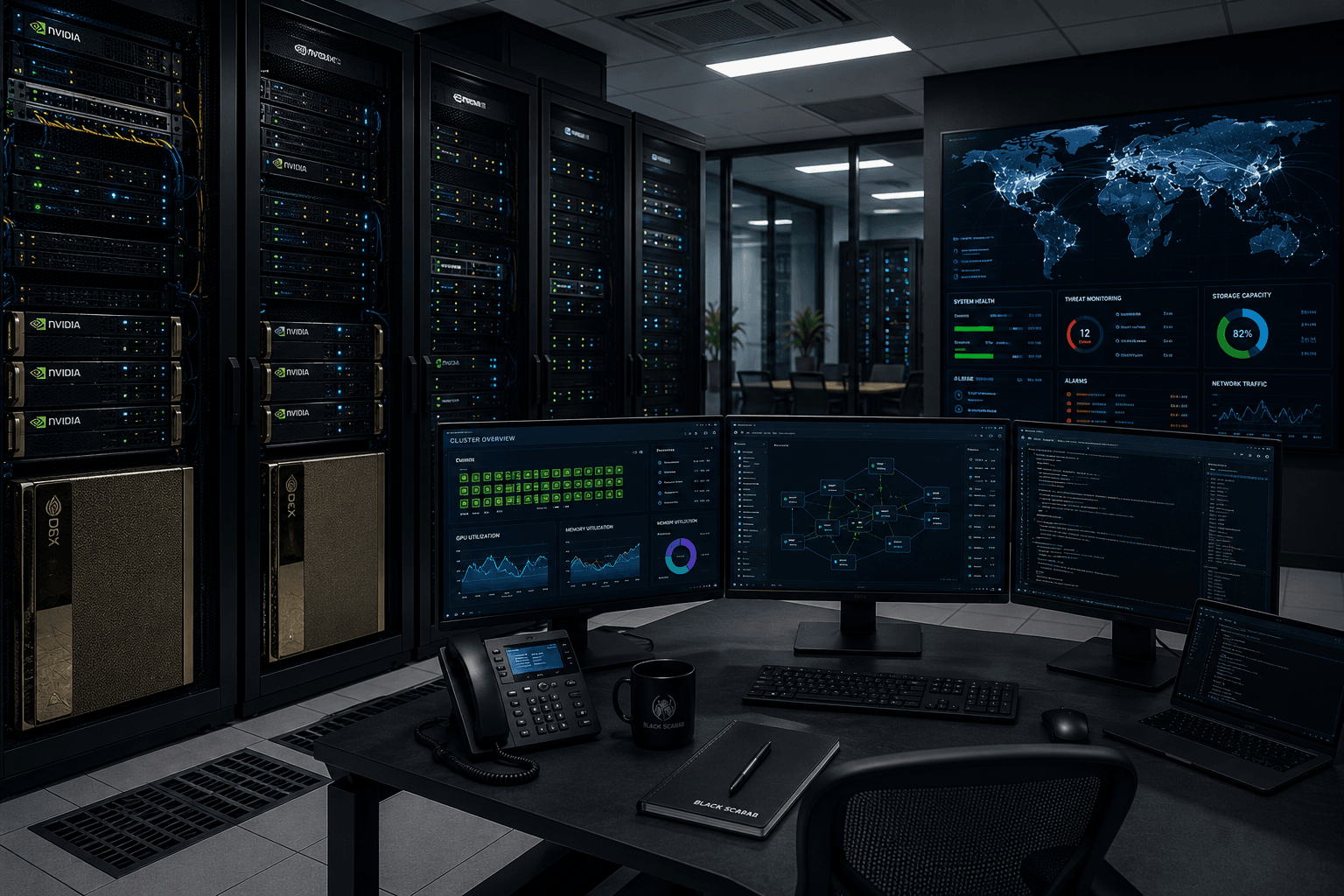
Enterprise local AI is not a bigger hobbyist box. It is private AI infrastructure with governance, identity, storage, monitoring, logging, backup, security controls, and a clear escalation path to cloud when the local system is the wrong tool. The hardware matters, but the architecture matters more.
The realistic budget range is $50,000 to $500,000+. That range includes pilot systems, DGX-class workstations, multi-GPU servers, storage, networking, deployment labor, monitoring, security review, and operational overhead. Hardware quotes, support contracts, datacenter costs, and GPU availability should always be manually verified.
Foundation: Build Your First Local AI Server
The broader Black Scarab guide to local AI infrastructure, VRAM math, bandwidth, and inference software.
AI Hardware Roadmap
A wider view of the hardware platforms shaping edge AI, local AI, and physical AI deployments.
Intel OpenVINO Deployment Guide
A deeper look at model optimization, cross-platform inference, and enterprise edge deployment patterns.
1. Reader Profile
This guide is for enterprise technical leaders, AI platform teams, infrastructure teams, security teams, and business units trying to deploy private AI without sending sensitive data into unmanaged external systems. The reader cares about risk, uptime, compliance, procurement, integration, utilization, supportability, and total cost of ownership.
The enterprise tradeoff is not local versus cloud in a simplistic sense. The real decision is which workloads must remain private, which workloads benefit from local latency or data gravity, which workloads can burst to cloud, and which controls must exist before any model touches production data.
2. Budget Range
Enterprise local AI usually starts around $50,000 for a serious pilot and can move past $500,000 quickly once multiple GPUs, storage, networking, support contracts, monitoring, security tooling, and deployment services are included. The correct first step is not buying the biggest GPU system. It is scoping workloads, data sensitivity, user count, latency needs, compliance obligations, and operational ownership.
Enterprise Budget Bands
$50,000-$100,000
Likely Setup
Pilot multi-GPU server, DGX Spark cluster, or DGX Station-class system
What It Buys
Controlled pilot for internal documents, secure inference, and model evaluation.
Main Risk
Pilot may be over-scoped or under-governed.
$100,000-$250,000
Likely Setup
Production private inference server plus storage, networking, monitoring, and access control
What It Buys
Real shared service for defined departments or workloads.
Main Risk
Utilization and ownership must be managed.
$250,000-$500,000+
Likely Setup
Private inference cluster or hybrid on-prem plus cloud architecture
What It Buys
Scaled internal AI platform with governance and lifecycle management.
Main Risk
Complex procurement, operations, security, and model-management burden.
| Budget | Likely Setup | What It Buys | Main Risk |
|---|---|---|---|
| $50,000-$100,000 | Pilot multi-GPU server, DGX Spark cluster, or DGX Station-class system | Controlled pilot for internal documents, secure inference, and model evaluation. | Pilot may be over-scoped or under-governed. |
| $100,000-$250,000 | Production private inference server plus storage, networking, monitoring, and access control | Real shared service for defined departments or workloads. | Utilization and ownership must be managed. |
| $250,000-$500,000+ | Private inference cluster or hybrid on-prem plus cloud architecture | Scaled internal AI platform with governance and lifecycle management. | Complex procurement, operations, security, and model-management burden. |
These are planning ranges, not quotes. Enterprise pricing depends heavily on vendor support, GPU generation, storage, networking, facilities, and service contracts.
3. Configuration Options
Enterprise teams should compare systems by workload isolation, uptime, governance, performance, and support model. DGX Spark clusters can be useful for pilots and developer groups. DGX Station or DGX-class systems make sense where vendor-integrated hardware and software matter. Multi-GPU rackmount servers are the flexible workhorse. Private inference clusters are the platform path. Hybrid local plus cloud architecture is often the most rational end state.
Enterprise Configuration Comparison
NVIDIA DGX Spark cluster
Approx. Cost
$50,000-$150,000+ depending on count and support
Advantages
Compact NVIDIA-aligned developer/pilot environment; useful for distributed teams.
Disadvantages
Not a replacement for high-throughput datacenter GPU clusters.
NVIDIA DGX Station or DGX-class system
Approx. Cost
$100,000-$500,000+ depending on system and support
Advantages
Integrated vendor platform, enterprise support path, strong AI workstation/server positioning.
Disadvantages
High cost, vendor dependency, procurement lead time.
Multi-GPU rackmount server
Approx. Cost
$50,000-$250,000+
Advantages
Flexible, expandable, datacenter-friendly private inference building block.
Disadvantages
Requires infrastructure team, cooling, power, monitoring, and lifecycle management.
Private inference cluster
Approx. Cost
$150,000-$500,000+
Advantages
Shared internal platform with routing, concurrency, governance, and workload isolation.
Disadvantages
Operational complexity and utilization risk.
Hybrid local plus cloud architecture
Approx. Cost
Variable
Advantages
Keeps sensitive/default workloads local while bursting frontier or elastic workloads to cloud.
Disadvantages
Requires routing policy, data classification, identity, logging, and vendor management.
On-prem deployment with storage, networking, monitoring, identity, backup, and security controls
Approx. Cost
$100,000-$500,000+
Advantages
Enterprise-grade control plane around private AI.
Disadvantages
The control plane can cost as much attention as the GPUs.
| Configuration | Approx. Cost | Advantages | Disadvantages |
|---|---|---|---|
| NVIDIA DGX Spark cluster | $50,000-$150,000+ depending on count and support | Compact NVIDIA-aligned developer/pilot environment; useful for distributed teams. | Not a replacement for high-throughput datacenter GPU clusters. |
| NVIDIA DGX Station or DGX-class system | $100,000-$500,000+ depending on system and support | Integrated vendor platform, enterprise support path, strong AI workstation/server positioning. | High cost, vendor dependency, procurement lead time. |
| Multi-GPU rackmount server | $50,000-$250,000+ | Flexible, expandable, datacenter-friendly private inference building block. | Requires infrastructure team, cooling, power, monitoring, and lifecycle management. |
| Private inference cluster | $150,000-$500,000+ | Shared internal platform with routing, concurrency, governance, and workload isolation. | Operational complexity and utilization risk. |
| Hybrid local plus cloud architecture | Variable | Keeps sensitive/default workloads local while bursting frontier or elastic workloads to cloud. | Requires routing policy, data classification, identity, logging, and vendor management. |
| On-prem deployment with storage, networking, monitoring, identity, backup, and security controls | $100,000-$500,000+ | Enterprise-grade control plane around private AI. | The control plane can cost as much attention as the GPUs. |
4. Cost Table
Enterprise local AI becomes cheaper than cloud only when utilization, data sensitivity, compliance, latency, or predictable workload volume justify the capital and operational burden. A poorly utilized GPU cluster is not strategic infrastructure. It is expensive furniture with fans.
Enterprise Local AI Cost Model
Hardware upfront cost
Typical Range
$50,000-$500,000+
What to Verify
GPU generation, support contract, warranty, lead time, vendor lock-in, rack compatibility.
Cloud Alternative
Cloud avoids CapEx but shifts cost to usage and data governance tradeoffs.
GPU / accelerator cost
Typical Range
$25,000-$300,000+
What to Verify
VRAM, interconnect, power, cooling, software support, model compatibility.
Cloud Alternative
Cloud provides burst access to larger accelerator pools.
Storage cost
Typical Range
$10,000-$150,000+
What to Verify
NVMe cache, NAS/SAN, object storage, snapshots, encryption, retention.
Cloud Alternative
Cloud storage can be easier but may complicate data residency.
Networking cost
Typical Range
$5,000-$100,000+
What to Verify
10/25/100GbE, VLANs, segmentation, firewall policy, datacenter topology.
Cloud Alternative
Cloud networking is elastic but requires governance and egress planning.
Power estimate
Typical Range
1kW-20kW+
What to Verify
Rack power density, UPS, generator policy, datacenter cooling limits.
Cloud Alternative
Cloud embeds power cost in usage pricing.
Cooling considerations
Typical Range
$5,000-$100,000+
What to Verify
Airflow, liquid cooling needs, room heat load, rack placement.
Cloud Alternative
Provider handles cooling.
Software cost
Typical Range
$0-$250,000+
What to Verify
Open-source stack, enterprise support, monitoring, logging, identity, secrets, governance tooling.
Cloud Alternative
Managed cloud AI includes some platform services but not necessarily compliance fit.
Maintenance burden
Typical Range
High
What to Verify
Platform owner, security owner, model owner, backup owner, incident process.
Cloud Alternative
Cloud lowers hardware maintenance but does not remove governance work.
When local becomes cheaper
Typical Range
Usually at sustained high utilization or sensitive recurring workloads
What to Verify
Compare three-year TCO against subscriptions, API spend, egress, compliance, and operational staff.
Cloud Alternative
Cloud wins for irregular burst, frontier-only, or rapidly changing workloads.
| Cost Area | Typical Range | What to Verify | Cloud Alternative |
|---|---|---|---|
| Hardware upfront cost | $50,000-$500,000+ | GPU generation, support contract, warranty, lead time, vendor lock-in, rack compatibility. | Cloud avoids CapEx but shifts cost to usage and data governance tradeoffs. |
| GPU / accelerator cost | $25,000-$300,000+ | VRAM, interconnect, power, cooling, software support, model compatibility. | Cloud provides burst access to larger accelerator pools. |
| Storage cost | $10,000-$150,000+ | NVMe cache, NAS/SAN, object storage, snapshots, encryption, retention. | Cloud storage can be easier but may complicate data residency. |
| Networking cost | $5,000-$100,000+ | 10/25/100GbE, VLANs, segmentation, firewall policy, datacenter topology. | Cloud networking is elastic but requires governance and egress planning. |
| Power estimate | 1kW-20kW+ | Rack power density, UPS, generator policy, datacenter cooling limits. | Cloud embeds power cost in usage pricing. |
| Cooling considerations | $5,000-$100,000+ | Airflow, liquid cooling needs, room heat load, rack placement. | Provider handles cooling. |
| Software cost | $0-$250,000+ | Open-source stack, enterprise support, monitoring, logging, identity, secrets, governance tooling. | Managed cloud AI includes some platform services but not necessarily compliance fit. |
| Maintenance burden | High | Platform owner, security owner, model owner, backup owner, incident process. | Cloud lowers hardware maintenance but does not remove governance work. |
| When local becomes cheaper | Usually at sustained high utilization or sensitive recurring workloads | Compare three-year TCO against subscriptions, API spend, egress, compliance, and operational staff. | Cloud wins for irregular burst, frontier-only, or rapidly changing workloads. |
5. Component Breakdown
Enterprise component planning must include the pieces hobbyists ignore: identity, secrets, logging, network segmentation, backup, disaster recovery, monitoring, model registry, data classification, patching, and procurement support. The GPU server is only the visible part of the system.
Enterprise Component Breakdown
CPU
Private Multi-GPU Server
Server CPU with enough PCIe lanes and memory channels.
DGX-Class System
Vendor-integrated CPU/GPU architecture.
Hybrid Local + Cloud
Local server CPU plus cloud accelerator access.
GPU / accelerator
Private Multi-GPU Server
Multiple NVIDIA datacenter or workstation GPUs.
DGX-Class System
DGX-class integrated accelerators.
Hybrid Local + Cloud
Local GPUs for private/default workloads; cloud GPUs for burst.
VRAM / unified memory
Private Multi-GPU Server
Depends on GPU count and interconnect; verify per-system behavior.
DGX-Class System
Vendor-specific memory architecture.
Hybrid Local + Cloud
Local memory plus cloud model capacity.
System RAM
Private Multi-GPU Server
256GB-1TB+ depending on retrieval and serving stack.
DGX-Class System
Vendor-configured.
Hybrid Local + Cloud
Sized for local workloads and routing services.
Storage
Private Multi-GPU Server
NVMe scratch plus NAS/SAN/object storage.
DGX-Class System
Vendor storage plus enterprise storage integration.
Hybrid Local + Cloud
Local sensitive data store plus cloud policy boundary.
Networking
Private Multi-GPU Server
10/25/100GbE, segmentation, firewall rules.
DGX-Class System
Vendor recommendations plus enterprise network design.
Hybrid Local + Cloud
Private networking, VPN, cloud interconnect, egress policy.
Power supply
Private Multi-GPU Server
Redundant server PSUs and UPS.
DGX-Class System
Vendor-defined power requirements.
Hybrid Local + Cloud
On-prem power plus cloud dependency.
Cooling
Private Multi-GPU Server
Rack airflow or liquid cooling plan.
DGX-Class System
Vendor-defined facilities requirements.
Hybrid Local + Cloud
Local cooling sized for baseline workloads.
Operating system
Private Multi-GPU Server
Enterprise Linux or Ubuntu Server with hardening.
DGX-Class System
Vendor-supported software image.
Hybrid Local + Cloud
Hardened local OS plus cloud IAM standards.
AI runtime stack
Private Multi-GPU Server
vLLM, SGLang, TensorRT-LLM, containers.
DGX-Class System
Vendor-supported NVIDIA stack plus chosen serving layer.
Hybrid Local + Cloud
Local vLLM/SGLang plus cloud provider APIs.
Management layer
Private Multi-GPU Server
Kubernetes or containers, monitoring, logging, IAM, secrets, backups.
DGX-Class System
Vendor tools plus enterprise control plane.
Hybrid Local + Cloud
Policy router, audit logging, identity, cloud escalation rules.
| Component | Private Multi-GPU Server | DGX-Class System | Hybrid Local + Cloud |
|---|---|---|---|
| CPU | Server CPU with enough PCIe lanes and memory channels. | Vendor-integrated CPU/GPU architecture. | Local server CPU plus cloud accelerator access. |
| GPU / accelerator | Multiple NVIDIA datacenter or workstation GPUs. | DGX-class integrated accelerators. | Local GPUs for private/default workloads; cloud GPUs for burst. |
| VRAM / unified memory | Depends on GPU count and interconnect; verify per-system behavior. | Vendor-specific memory architecture. | Local memory plus cloud model capacity. |
| System RAM | 256GB-1TB+ depending on retrieval and serving stack. | Vendor-configured. | Sized for local workloads and routing services. |
| Storage | NVMe scratch plus NAS/SAN/object storage. | Vendor storage plus enterprise storage integration. | Local sensitive data store plus cloud policy boundary. |
| Networking | 10/25/100GbE, segmentation, firewall rules. | Vendor recommendations plus enterprise network design. | Private networking, VPN, cloud interconnect, egress policy. |
| Power supply | Redundant server PSUs and UPS. | Vendor-defined power requirements. | On-prem power plus cloud dependency. |
| Cooling | Rack airflow or liquid cooling plan. | Vendor-defined facilities requirements. | Local cooling sized for baseline workloads. |
| Operating system | Enterprise Linux or Ubuntu Server with hardening. | Vendor-supported software image. | Hardened local OS plus cloud IAM standards. |
| AI runtime stack | vLLM, SGLang, TensorRT-LLM, containers. | Vendor-supported NVIDIA stack plus chosen serving layer. | Local vLLM/SGLang plus cloud provider APIs. |
| Management layer | Kubernetes or containers, monitoring, logging, IAM, secrets, backups. | Vendor tools plus enterprise control plane. | Policy router, audit logging, identity, cloud escalation rules. |
6. Model Capability Table
Enterprise model planning should distinguish development, pilot, and production serving. A model that fits is not automatically supportable. Production systems need concurrency, scheduling, isolation, monitoring, and a decision about where 70B and 100B+ models belong in the stack.
Enterprise Model Capability
7B
Pilot Server
Easy, high concurrency possible.
Private Inference Cluster
Easy, useful for routing and low-cost tasks.
Hybrid Architecture
Keep local by default.
Practical Notes
Good for classification, extraction, routing, and fast internal tools.
13B
Pilot Server
Comfortable for many users with the right runtime.
Private Inference Cluster
Comfortable.
Hybrid Architecture
Keep local unless frontier quality is required.
Practical Notes
Strong default for internal assistants and document workflows.
34B
Pilot Server
Possible, but watch concurrency and context.
Private Inference Cluster
Realistic with multi-GPU planning.
Hybrid Architecture
Local for sensitive workloads; cloud for burst.
Practical Notes
Often a strong quality step without full frontier cost.
70B
Pilot Server
Possible on high-end pilot hardware with compromise.
Private Inference Cluster
Realistic with serious GPUs, quantization, and scheduling.
Hybrid Architecture
Hybrid routing recommended.
Practical Notes
Use for high-value tasks, not every prompt.
100B+
Pilot Server
Usually not the pilot default.
Private Inference Cluster
Requires dedicated architecture and high memory.
Hybrid Architecture
Cloud escalation often rational unless data cannot leave.
Practical Notes
Model governance and workload selection matter more than enthusiasm.
| Model Class | Pilot Server | Private Inference Cluster | Hybrid Architecture | Practical Notes |
|---|---|---|---|---|
| 7B | Easy, high concurrency possible. | Easy, useful for routing and low-cost tasks. | Keep local by default. | Good for classification, extraction, routing, and fast internal tools. |
| 13B | Comfortable for many users with the right runtime. | Comfortable. | Keep local unless frontier quality is required. | Strong default for internal assistants and document workflows. |
| 34B | Possible, but watch concurrency and context. | Realistic with multi-GPU planning. | Local for sensitive workloads; cloud for burst. | Often a strong quality step without full frontier cost. |
| 70B | Possible on high-end pilot hardware with compromise. | Realistic with serious GPUs, quantization, and scheduling. | Hybrid routing recommended. | Use for high-value tasks, not every prompt. |
| 100B+ | Usually not the pilot default. | Requires dedicated architecture and high memory. | Cloud escalation often rational unless data cannot leave. | Model governance and workload selection matter more than enthusiasm. |
FP16/BF16 serving is expensive at scale. INT8, FP8, and 4-bit approaches can reduce memory pressure, but the enterprise must validate quality, latency, safety, and audit requirements for each model.
7. Advantages, Disadvantages, and Upgrade Paths
Enterprise options should be judged by operational fit. A DGX-class system is attractive when vendor integration and support matter. A multi-GPU rackmount server is flexible but requires internal competence. A private inference cluster is the platform path. Hybrid local plus cloud is often the most realistic production architecture because it avoids treating every workload as identical.
Enterprise Decision Table
DGX Spark cluster
Best Use Case
Developer pilots, local experimentation, controlled departmental trials.
Who Should Avoid It
Teams needing high-throughput central production serving immediately.
Upgrade Path
Graduate to DGX Station, rackmount server, or private cluster.
DGX Station / DGX-class
Best Use Case
Enterprise buyers wanting integrated vendor-supported AI infrastructure.
Who Should Avoid It
Teams without budget, facilities, or defined workloads.
Upgrade Path
Scale into cluster or hybrid architecture.
Multi-GPU rackmount server
Best Use Case
Private inference service for defined internal workloads.
Who Should Avoid It
Organizations without infrastructure ownership or datacenter readiness.
Upgrade Path
Add more servers behind a routing and monitoring layer.
Private inference cluster
Best Use Case
Shared internal AI platform with governance and workload isolation.
Who Should Avoid It
Teams trying to skip discovery and pilot phases.
Upgrade Path
Add capacity, model registry, autoscaling, and cloud escalation.
Hybrid local plus cloud
Best Use Case
Enterprises with mixed sensitive and non-sensitive workloads.
Who Should Avoid It
Teams that cannot classify data or enforce routing policy.
Upgrade Path
Improve policy automation, audit logs, and workload placement.
| Setup | Best Use Case | Who Should Avoid It | Upgrade Path |
|---|---|---|---|
| DGX Spark cluster | Developer pilots, local experimentation, controlled departmental trials. | Teams needing high-throughput central production serving immediately. | Graduate to DGX Station, rackmount server, or private cluster. |
| DGX Station / DGX-class | Enterprise buyers wanting integrated vendor-supported AI infrastructure. | Teams without budget, facilities, or defined workloads. | Scale into cluster or hybrid architecture. |
| Multi-GPU rackmount server | Private inference service for defined internal workloads. | Organizations without infrastructure ownership or datacenter readiness. | Add more servers behind a routing and monitoring layer. |
| Private inference cluster | Shared internal AI platform with governance and workload isolation. | Teams trying to skip discovery and pilot phases. | Add capacity, model registry, autoscaling, and cloud escalation. |
| Hybrid local plus cloud | Enterprises with mixed sensitive and non-sensitive workloads. | Teams that cannot classify data or enforce routing policy. | Improve policy automation, audit logs, and workload placement. |
8. Enterprise Deployment Phases
Phase 1: discovery. Identify workloads, data classes, users, current cloud spend, latency requirements, and compliance constraints.
Phase 2: security and compliance review. Decide what data can leave, what must remain local, and what audit controls are required.
Phase 3: pilot architecture. Build a limited system around one or two real workflows, not a generic AI sandbox.
Phase 4: hardware selection. Choose DGX-class, rackmount, appliance, or hybrid architecture based on workloads and support model.
Phase 5: networking and storage design. Plan segmentation, bandwidth, document stores, snapshots, retention, and data residency.
Phase 6: deployment stack. Select vLLM, SGLang, TensorRT-LLM, containers, and orchestration only where they match the workload.
Phase 7: identity and access management. Integrate authentication, groups, roles, secrets, and least-privilege access.
Phase 8: monitoring and logging. Track utilization, latency, errors, model versions, user activity, and safety events.
Phase 9: backup and disaster recovery. Define what gets backed up, how restore is tested, and what happens when hardware fails.
Phase 10: production rollout. Expand only after the pilot proves value, reliability, and governance.
Phase 11: governance and model lifecycle management. Track model approvals, data sources, evaluations, deprecations, and update cadence.
Phase 12: scaling strategy. Add capacity only after utilization and workflow evidence justify the next purchase.
9. Software Stack Recommendations
Enterprise stacks should start with serving and governance, not UI polish. vLLM is a strong general serving baseline. SGLang is useful for more complex routing, long-context, and systems-heavy workloads. TensorRT-LLM matters when NVIDIA-specific performance optimization is worth the reduced portability. Kubernetes or container orchestration is appropriate when the organization already has the operational maturity to support it.
The required control plane includes monitoring, logging, authentication, secrets management, network segmentation, audit controls, model governance, backup, disaster recovery, and a hybrid cloud escalation path. If those pieces are missing, the enterprise has a demo, not a production system.
Black Scarab Final Recommendation
If we had to recommend only one configuration, this is the one.
For large enterprises, the best default is a private multi-GPU rackmount inference server deployed as a governed pilot, paired with enterprise storage, 10/25GbE networking, identity integration, monitoring, logging, backup, and a hybrid cloud escalation path. The approximate starting cost is $100,000 to $250,000 for a serious pilot-to-production architecture, depending on GPU choice, storage, networking, vendor support, and facilities readiness. All pricing should be manually quoted and verified.
This is the best default because it avoids both extremes: it is more serious than a desktop appliance, but less risky than jumping immediately into a full private cluster. It can realistically run 7B and 13B models at useful internal concurrency, 34B models for higher-quality workflows, and 70B-class workloads with careful scheduling, quantization, and capacity planning.
It cannot replace every frontier cloud model, solve governance by itself, or run 100B+ workloads cheaply without serious architecture. Upgrade beyond it when utilization proves demand, when multiple departments depend on the system, when high availability is required, or when model lifecycle governance becomes a platform function rather than a project task.
Sourcing & Verification
Enterprise GPU systems, DGX-class hardware, RTX PRO configurations, storage, networking, support contracts, and facilities requirements should be quoted directly from vendors or integrators. Public specs are useful for planning, but enterprise purchase decisions require current quotes, validated support terms, and security review.
Black Scarab Weekly
Follow the physical AI economy
Get Black Scarab news, deep research, and practical analysis in one clear Thursday briefing.
Related Insights
Cross-Industry
The Best Way to Source GPU Compute in 2026
Compute Exchange Deep Dive: How its marketplace helps organizations source reserved GPU capacity and future commitments, and how it compares with hyperscalers, specialist GPU clouds, and direct deals.
Read related insight
Cross-Industry
Ouster Deep Dive: Digital LiDAR, Spatial Perception, and the 3D Sensing Layer of Physical AI
A business and investor deep dive on Ouster, the digital LiDAR company building 3D sensing hardware and software for autonomy, robotics, smart infrastructure, mapping, security, warehouses, ports, and industrial intelligence.
Read related insight
Cross-Industry
Hailo Deep Dive: Edge AI Acceleration, Low-Power Inference, and the Physical AI Compute Layer
A business and investor deep dive on Hailo, the edge AI processor company behind Hailo-8, Hailo-8L, Hailo-10H, Hailo-15, and the Hailo AI Software Suite, showing why efficient local inference is becoming a core deployment layer for physical AI.
Read related insight