
Career at a glance
- What you do
- Develop control systems that coordinate robots and automated production equipment
- Core skills
- PLC programming, industrial networks, HMI and SCADA, electrical troubleshooting and commissioning
- Education
- Typically electrical engineering, mechatronics, industrial automation or related technical training
- Compensation
- $159,000/year
Black Scarab estimate
In this guide
What does an industrial automation engineer do?
Imagine a factory where a robotic arm picks up a component, places it on a conveyor and sends it to the next assembly station.
The robot can perform its task perfectly, but the production line will only work if the surrounding equipment knows what to do.
The conveyor must stop when the component reaches the correct position. A sensor must confirm that it has arrived. The robotic arm must know when it is ready to begin its next operation.
Industrial automation engineers develop the systems that coordinate all these activities.
Their work involves programming industrial controllers, connecting equipment and making sure manufacturing processes operate reliably.
Unlike engineers who develop the algorithms controlling a robot's individual movements, industrial automation engineers focus on the larger production system.
They make sure robots, conveyors, machines and sensors work together in the correct sequence.
What is a PLC?
One of the most important technologies in industrial automation is the programmable logic controller (PLC).
A PLC is a specialized industrial computer designed to control machinery and automated processes.
It receives information from sensors and equipment, processes that information using programmed logic and sends commands to other devices.
For example, a PLC controlling a robotic packaging station might follow this sequence:
- A sensor detects a package arriving on a conveyor.
- The PLC commands the conveyor to stop.
- The PLC confirms that the robot is ready.
- The PLC requests that the robot pick up the package.
- The robot reports that the operation is complete.
- The PLC allows the conveyor to move again.
The PLC helps coordinate the process, ensuring that equipment operates in the correct order.
If the robot never reports that it has completed its task, the controller should not simply assume that everything went according to plan.
Instead, it can detect the missing response, report a fault and prevent the normal production sequence from continuing until the issue is addressed.
This is the central idea behind industrial automation: using programmed logic to make physical equipment operate predictably.
Three areas of industrial automation engineering
| Specialization | What engineers work on |
|---|---|
| PLC and machine control | Programming equipment sequences, sensors, motors and automated machinery |
| HMI and industrial monitoring | Creating interfaces that let operators monitor equipment, view alarms and manage production |
| System integration and commissioning | Connecting machines, industrial networks and control systems, then testing them in a working facility |
These responsibilities often overlap.
An engineer working at a factory might maintain the PLC programs that run production equipment.
Someone working for a robotics integrator may design the control system connecting a new robot to an existing manufacturing line.
Others specialize in operator interfaces, industrial communication or bringing new automation equipment into production.
What does a typical day look like?
Industrial automation engineers divide their time between programming, troubleshooting and working with physical machinery.
An engineer might begin the morning investigating an assembly line that stopped unexpectedly during the night.
The operator reports that the robotic arm completed its movement, but the conveyor never restarted.
The engineer examines the PLC program, checks sensor signals and reviews the robot's status.
They discover that the controller missed a brief completion signal from the robot.
After investigating the communication sequence, the engineer modifies the logic and tests whether the production line now responds correctly.
Later, they might update an operator display, review electrical drawings or work with technicians installing a new automated station.
A typical development cycle involves:
- Understand the process. Determine how machines, sensors and robots should operate together.
- Design the control sequence. Define the conditions that allow each operation to begin and finish.
- Program the controller. Write the PLC logic that coordinates the equipment.
- Connect the systems. Configure communication between sensors, drives, robots and other controllers.
- Test the operation. Verify that the system works under normal conditions and responds appropriately to faults.
- Commission the equipment. Bring the installed system into operation and validate its performance.
The work combines software engineering with hands-on experience in industrial environments.
When a robot finishes its task but the conveyor never moves
Consider a factory where a robot transfers completed components onto a conveyor.
The robot places a component correctly and sends a completion signal to the PLC.
However, the conveyor remains stopped.
The automation engineer investigates several possible causes.
Perhaps the robot never transmitted the signal. The PLC may have missed a brief message, or another required condition may not have been satisfied.
The engineer reviews the robot's status, PLC logic and relevant signals to identify what happened.
One possible solution is to improve the communication handshake between the robot and PLC.
A handshake is a coordinated exchange of signals confirming that one piece of equipment has requested an operation, another has accepted it and the operation has been completed.
Rather than relying on a brief signal that could be missed, the system can maintain a completion status until the receiving controller acknowledges it, using an agreed communication sequence.
The engineer then tests different scenarios, including delayed responses, missing signals and repeated requests.
- Idle
Waiting for a cycle
- Ready
Conditions satisfied
- Running
Robot operation active
- Complete
Operation confirmed
Missing response. New cycles blocked.
- Idle
Waiting for a cycle
- Ready
Conditions satisfied
- Running
Robot operation active
- Complete
Operation confirmed
Missing response. New cycles blocked.
A production sequence needs a defined response when something goes wrong. If the robot fails to confirm completion, the controller enters a fault state and blocks new cycles. Once the issue is resolved, a separate reset returns the system to idle without automatically restarting the machine.
Illustrative production logic. Machine safety functions require separate validation.
The goal is not merely to restart the conveyor once. It is to make the production sequence reliable enough to operate repeatedly.
Which skills and tools do employers look for?
PLC programming
PLC programming is one of the most important skills in industrial automation.
Engineers develop software that determines how equipment responds to inputs, commands and operating conditions.
Unlike conventional software applications, PLC programs often interact directly with physical machinery.
A program might control when a conveyor starts, whether a robotic station is ready or what should happen when a sensor fails to detect a component.
Two widely used PLC programming languages are:
Ladder Logic. A graphical programming language that resembles electrical relay diagrams. It is widely used in manufacturing and industrial control systems.
Structured Text. A text-based programming language useful for more complex logic, calculations and reusable software components.
Common industrial automation platforms include Siemens, Rockwell Automation/Allen-Bradley and Beckhoff.
Each platform has its own software environment, but the underlying concepts are transferable.
Beginners should focus on learning one environment well rather than attempting to master every manufacturer immediately.
HMI and SCADA systems
Operators need a way to understand what automated equipment is doing.
A human-machine interface (HMI) provides a screen through which operators can view equipment status, interact with controls and respond to alarms.
For example, an HMI might show whether a robot is operating, waiting for a component or experiencing a fault.
Supervisory Control and Data Acquisition (SCADA) systems provide broader monitoring and supervisory capabilities.
They can collect information from multiple machines or production areas, display operating conditions and help teams identify problems across a facility.
An automation engineer may develop interfaces that show production counts, equipment status, alarms and other operating information.
A well-designed interface helps operators understand what is happening without requiring them to interpret PLC code.
Electrical systems and sensors
Industrial automation engineers need a working understanding of electrical equipment.
PLC programs depend on real-world signals coming from sensors, switches, motors and other devices.
If a conveyor never starts, the problem might come from the PLC logic, a disconnected sensor or a malfunctioning drive.
Engineers should know how to read electrical drawings, interpret input and output signals and investigate problems systematically.
Useful foundations include:
- Voltage, current and basic electrical principles.
- Motors, sensors and industrial actuators.
- Wiring diagrams and electrical schematics.
- Digital and analog input/output signals.
- Electrical measurement and fault diagnosis.
The deeper electrical requirements depend on the position.
Some automation engineers design and review electrical control systems, while others primarily work on programming and commissioning.
Industrial communication networks
Modern factories connect many controllers, robots and machines through industrial networks.
These networks allow equipment to exchange commands, measurements and operating status.
Common technologies include:
| Technology | Typical application |
|---|---|
| PROFINET | Industrial communication between controllers and factory equipment |
| EtherNet/IP | Connecting PLCs, drives and industrial automation devices |
| EtherCAT | Fast communication with distributed devices and motion-control systems |
| OPC UA | Exchanging structured industrial data between machines and software systems |
An automation engineer does not need to master every protocol immediately.
The most important starting point is understanding how devices communicate, what information must be exchanged and how to investigate problems when communication fails.
Commissioning and equipment testing
Commissioning is the process of bringing newly installed equipment into working operation.
An engineer might help install a robotic workcell at a customer's factory, connect its controllers and verify that all devices operate correctly.
The process often includes testing sensors, validating communication, checking software sequences and demonstrating that the system meets the project's requirements.
Two common testing stages are:
Factory Acceptance Testing (FAT). Testing equipment before it is delivered or installed at its final location.
Site Acceptance Testing (SAT). Testing the equipment after installation to confirm that it operates correctly in its intended environment.
Commissioning engineers may travel to customer facilities, work with installation teams and troubleshoot problems that were not apparent during earlier development.
Fault handling and industrial safety
Automated equipment must respond predictably when something goes wrong.
For example, if a robotic station never receives a completion signal, the PLC may report a timeout and prevent the normal sequence from continuing.
Automation engineers develop logic that detects these conditions and helps operators understand the problem.
However, normal operating logic is different from safety-related control functions.
Industrial machines may require dedicated safety systems, protective devices and validated procedures designed to reduce risks from unexpected movement or hazardous energy.
A standard PLC timeout or operator display is not a substitute for those safeguards.
Engineers working on industrial equipment must follow the applicable engineering requirements, manufacturer instructions and workplace safety procedures.
What education do you need?
Electrical engineering, mechatronics, industrial automation and related technical fields provide common educational pathways.
These programs combine knowledge of electronics, programming, control systems and industrial equipment.
Unlike some research-oriented robotics careers, industrial automation can also offer opportunities for people with technical or vocational training.
Common educational pathways
| Background | How it prepares you |
|---|---|
| Electrical engineering | Circuits, electrical systems, automation and controls |
| Mechatronics engineering | Mechanical systems, electronics, programming and automation |
| Automation engineering | PLCs, industrial control systems and manufacturing processes |
| Engineering technology or associate degree | Practical technical preparation for equipment and controls work |
| Industrial maintenance or technical trade | Hands-on experience with machinery, troubleshooting and electrical systems |
The appropriate qualification depends on the employer and the responsibilities of the role.
What employers expect
Employers such as Intrinsic and Skydio have advertised automation positions requiring related engineering degrees.
Agile Robots has also considered relevant technical qualifications, while OSARO's reviewed PLC position emphasizes practical industrial controls experience.
Experienced automation engineers are generally expected to understand not only how to write PLC programs, but also how to test and troubleshoot systems operating in real facilities.
Do you need an engineering degree?
Not for every industrial automation position.
Some employers consider technical qualifications or equivalent experience, particularly for roles focused on PLC programming, commissioning and equipment troubleshooting.
However, positions involving complex system design, electrical engineering or large automation projects may require more formal technical preparation.
Someone beginning in industrial maintenance or electrical work can build toward automation engineering by developing programming, control-system and commissioning experience.
What should you study?
A useful technical foundation includes:
- Basic electrical engineering and industrial equipment.
- PLC programming and control sequences.
- Sensors, motors and industrial input/output signals.
- HMI development and industrial communication.
- Electrical drawings and equipment troubleshooting.
- Commissioning, testing and technical documentation.
Vendor-specific training can also be valuable.
For example, learning Siemens or Rockwell PLC programming may help candidates qualify for positions working with those systems.
However, understanding the underlying control principles is more important than memorizing one software environment.
How much do industrial automation engineers earn?
Industrial automation compensation varies by experience, location, technical responsibilities and the types of systems being developed.
Black Scarab estimates annual compensation at $159,000 based on reviewed U.S. employer advertisements for experienced roles.
| Employer, role & location | Annual salary (USD) |
|---|---|
| OSAROControls Engineer, PLC ProgrammingSan Francisco, CA | $125,000 to $145,000 |
| SkydioSenior Automation Controls EngineerSan Mateo, CA | $145,000 to $219,000 |
Annual advertised salary · November 2026
What influences compensation?
Experience and technical responsibility. Compare whether a position involves individual programming tasks or responsibility for complete production-control systems.
Specialization. Expertise in industrial networks, advanced PLC programming, motion systems and complex automation integration can be valuable.
Commissioning and travel. Some positions involve extensive on-site work, customer installations or production support outside normal business hours.
Location and employer. Compensation varies across geographic markets, industrial manufacturers and robotics companies.
Career progression
Early-career professionals may begin in automation technician, junior controls or equipment-support positions.
With experience, they can take responsibility for PLC programs, machine-control systems and complete automation projects.
Senior engineers may design control architectures, lead commissioning projects and oversee automation across several production lines or facilities.
Some professionals move into technical management, systems integration or industrial automation consulting.
Which companies hire industrial automation engineers?
Industrial automation engineers work both inside robotics companies and at organizations that install robotic systems for manufacturers.
Their responsibilities depend on whether the company develops robots, operates a factory or integrates automation equipment for customers.
Robotics and warehouse automation
OSARO and Nomagic develop robotic systems for handling objects and automating material movement.
Automation engineers help connect these systems with conveyors, sensors and warehouse equipment.
Their work can involve PLC communication, equipment sequencing and integration with existing operations.
Robotics integration platforms
Intrinsic develops technology for industrial robotics applications.
Automation and integration work can involve designing robotic workcells, coordinating equipment and helping manufacturers deploy automation.
These positions often require knowledge of both robotics and traditional industrial control systems.
Manufacturing automation
Skydio and Saronic provide examples of companies developing automation capabilities for manufacturing operations.
Rather than programming the finished robot itself, automation engineers may work on equipment used to manufacture and assemble the company's products.
This can include automated assembly stations, testing equipment, industrial controls and production infrastructure.
Industrial robotics systems
Agile Robots develops robotics and automation solutions involving industrial equipment and integrated systems.
Automation roles may include PLC development, operator interfaces, industrial communication and commissioning.
Related job titles
Useful searches include Industrial Automation Engineer, Controls Engineer, PLC Engineer, Automation and Controls Engineer, Manufacturing Automation Engineer and Commissioning Engineer.
Be aware that job titles can overlap with other engineering disciplines.
A robotics controls engineer developing balance algorithms for a humanoid robot performs a different job from a controls engineer programming PLCs for a factory assembly line.
Read the responsibilities to understand the position.
How to transition into industrial automation engineering
Several technical backgrounds provide a practical route into industrial automation.
| Your background | Skills to prioritize | Suggested project |
|---|---|---|
| Industrial maintenance | PLC programming, control sequences and system design | Simulate an automated conveyor |
| Electrician or electrical technician | PLC software, industrial communication and HMI development | Program a sensor-controlled machine sequence |
| Electrical or mechatronics engineering | Practical PLC programming and commissioning | Develop a simulated robotic workcell |
| Software engineering | Industrial hardware, PLC execution and physical I/O | Build an equipment state machine |
| Complete beginner | Basic electricity, programming and automation concepts | Create a simulated conveyor-control system |
If you work in industrial maintenance
Your experience with motors, sensors, machinery and troubleshooting provides a useful foundation.
The next step is developing PLC programming and control-system design skills.
Learn how to translate equipment requirements into a documented control sequence.
Experience commissioning equipment or supporting automated production lines can also help you transition.
If you are an electrician or electrical technician
Your understanding of wiring, electrical systems and industrial equipment can transfer directly.
Focus on learning PLC programming, communication protocols and operator interfaces.
Practice designing programs that react to input signals, coordinate outputs and handle faults.
A portfolio project that combines electrical understanding with controller software can demonstrate your ability to move beyond installation and maintenance work.
If you have an engineering background
Electrical and mechatronics engineers may already understand sensors, motors and control principles.
The main gap may be practical experience with industrial PLC platforms and production equipment.
Develop projects involving machine sequencing, industrial communication and commissioning-style testing.
If you work in software engineering
Your experience with programming, debugging and software design is valuable.
However, industrial automation introduces new constraints because software interacts with physical machinery.
Learn how PLCs execute programs, how input and output signals work and how industrial equipment communicates.
A simulated production cell is a practical starting point.
If you are starting from scratch
Begin with basic electrical principles, introductory programming and industrial automation concepts.
Learn what a PLC does, how sensors provide information and how equipment sequences are programmed.
Then develop a small software simulation before working with physical machinery.
Technical programs in mechatronics, electrical technology or industrial automation can provide a structured route into the profession.
What matters in an interview?
Employers often want to understand how candidates approach real equipment problems.
You may be asked to explain how a PLC sequence works, how you would diagnose a missing sensor signal or what happens when a robot fails to complete its operation.
Prepare one project where you can explain:
- The sequence you designed.
- The signals and devices involved.
- How the program handles unexpected conditions.
- How you tested and validated the results.
A clear explanation of how your system responds to faults can demonstrate more understanding than a list of PLC platforms you have used.
Build your first industrial automation project
Program a simulated robotic workcell
A useful beginner project is to create a simulated production station that coordinates a conveyor, a sensor and a robotic arm.
You do not need to purchase industrial machinery.
PLC development environments such as CODESYS support simulation workflows that allow you to test control logic without connecting to physical equipment.
The objective is to demonstrate how an automation engineer designs and tests a reliable machine sequence.
Step 1: Define the production process
Imagine a conveyor delivering products to a robotic station.
When a product reaches the correct position, the conveyor stops and requests that the robot perform a handling operation.
Once the robot reports completion, the conveyor can move the product to the next station.
Write down the sequence before developing the program.
Step 2: Define the machine states
Divide the process into several operating states.
| State | Meaning |
|---|---|
| Idle | No production cycle is active |
| Ready | Required conditions are satisfied |
| Running | The robotic operation is in progress |
| Complete | The operation has finished successfully |
| Fault | A required condition failed or an expected response did not arrive |
Define which conditions allow the system to move from one state to another.
For example, the controller should not begin the robotic operation unless the required readiness conditions are satisfied.
Step 3: Write the PLC program
Use a PLC development environment to implement the sequence.
Represent the conveyor, sensor and robot using simulated input and output signals.
Your program should detect a product, request the robotic operation and wait for a completion response.
Use clear variable names and organize the logic so another engineer can understand the sequence.
Step 4: Create an operator interface
Build a simple HMI showing the current machine state.
Include information such as whether a product has been detected, whether the robot is ready and whether an operation is in progress.
Add a readable fault message when an expected signal is missing.
The interface does not need to be elaborate.
Its purpose is to help someone understand what the system is doing.
Step 5: Introduce faults
Test what happens when the normal sequence is interrupted.
For example:
| Test scenario | Expected behavior |
|---|---|
| Robot not ready | The controller does not request a new operation |
| Completion signal delayed | The controller continues waiting within the defined interval |
| Completion signal missing | A timeout is recorded and the sequence enters a fault state |
| Repeated start request | The controller does not unintentionally duplicate an active cycle |
Record the expected and observed behavior for each test.
This exercise demonstrates why reliable automation requires more than programming a successful production cycle.
Step 6: Test recovery
Create a simulated fault and then correct the condition responsible for it.
Implement a separate reset action that returns the demonstration to its idle state after the fault condition has cleared.
The system should still require readiness checks and a new start request before beginning another cycle.
For this educational project, keep the focus on ordinary production sequencing. Real machine safety functions require separate engineering and validation.
Step 7: Document the project
Prepare a short report explaining how your simulated workcell operates.
Include the control sequence, input/output signals, screenshots of the HMI and results from your test scenarios.
Explain one problem you encountered and how you corrected it.
What to include in your portfolio
- A diagram of the automated workcell.
- The PLC program and instructions for running the simulation.
- A list of input and output signals.
- A state diagram explaining the operating sequence.
- Screenshots of the operator interface.
- Test results showing normal operation and fault handling.
- A short demonstration video.
- An explanation of one problem and its solution.
An optional advanced extension
Expand the simulated workcell by adding a second robotic station or another conveyor.
Create communication signals that coordinate operations between the stations.
Test how the system responds when one station becomes unavailable or completes its task more slowly than expected.
This introduces more realistic production-system coordination without requiring physical equipment.
Where to go next
- CODESYS: PLC Programming and Simulation
Explore the development environment and learn how to build and test PLC applications in simulation.
- Beckhoff: Automation and PLC Documentation
Study PLC programming, state machines, timers and industrial control concepts.
- PLCopen: Industrial Control Programming
Learn about industrial control programming and commonly used PLC software standards.
Start with one automated sequence. Make it work, deliberately introduce a failure and demonstrate how the system responds and recovers.
Once you can confidently explain that process, move toward more complex systems involving multiple machines, industrial networks and real equipment.
Sources and methodology
Research methodology
Employer advertisements were collected November 2, 2026 and reviewed in full on November 9. Ten selected sources cover PLC/HMI programming, industrial communication, commissioning, qualifications and production support. The underlying primary cohort contains ten advertisements from six selected employers; it is not an industry census or a count of current openings.
This guide focuses on control of production equipment and robotic workcells. The Skydio manufacturing-controls advertisement is included after contextual review despite its original robot-controls classification. Formic is also reviewed as an adjacent role. Original classifications and archived records remain unchanged. Generic software test automation, robot motion algorithms, electrical design and deployment roles are not admitted solely for mentioning PLCs.
Compensation is the median of one annual USD salary-range midpoint per eligible U.S. requisition, rounded to the nearest $1,000, with halves rounded upward. OSARO: $125,000–$145,000, midpoint $135,000. Skydio: $145,000–$219,000, midpoint $182,000. Their median is $158,500, yielding the $159,000 estimate. Bonus and equity are excluded; the structured OSARO field does not expressly establish base-pay treatment.
The salary estimate is based on only two California advertisements for experienced and senior roles. It is neither an entry-level estimate nor a representative market median. Other reviewed amounts lacking a verified annual period are excluded, including Intrinsic, Formic and the Anduril manufacturing-controls ranges. No seniority ladder or salary-growth relationship is inferred.
The state sequence is an editorial software example, not an employer implementation or a machine-safety design. The normal path is Idle → Ready → Running → Complete, with a return to Ready when another part is available. A completion timeout during Running enters Fault. Clearing the cause plus a separate reset returns to Idle, requiring readiness checks and a fresh start. The portfolio remains entirely simulated; simulation does not validate physical equipment or safety functions.
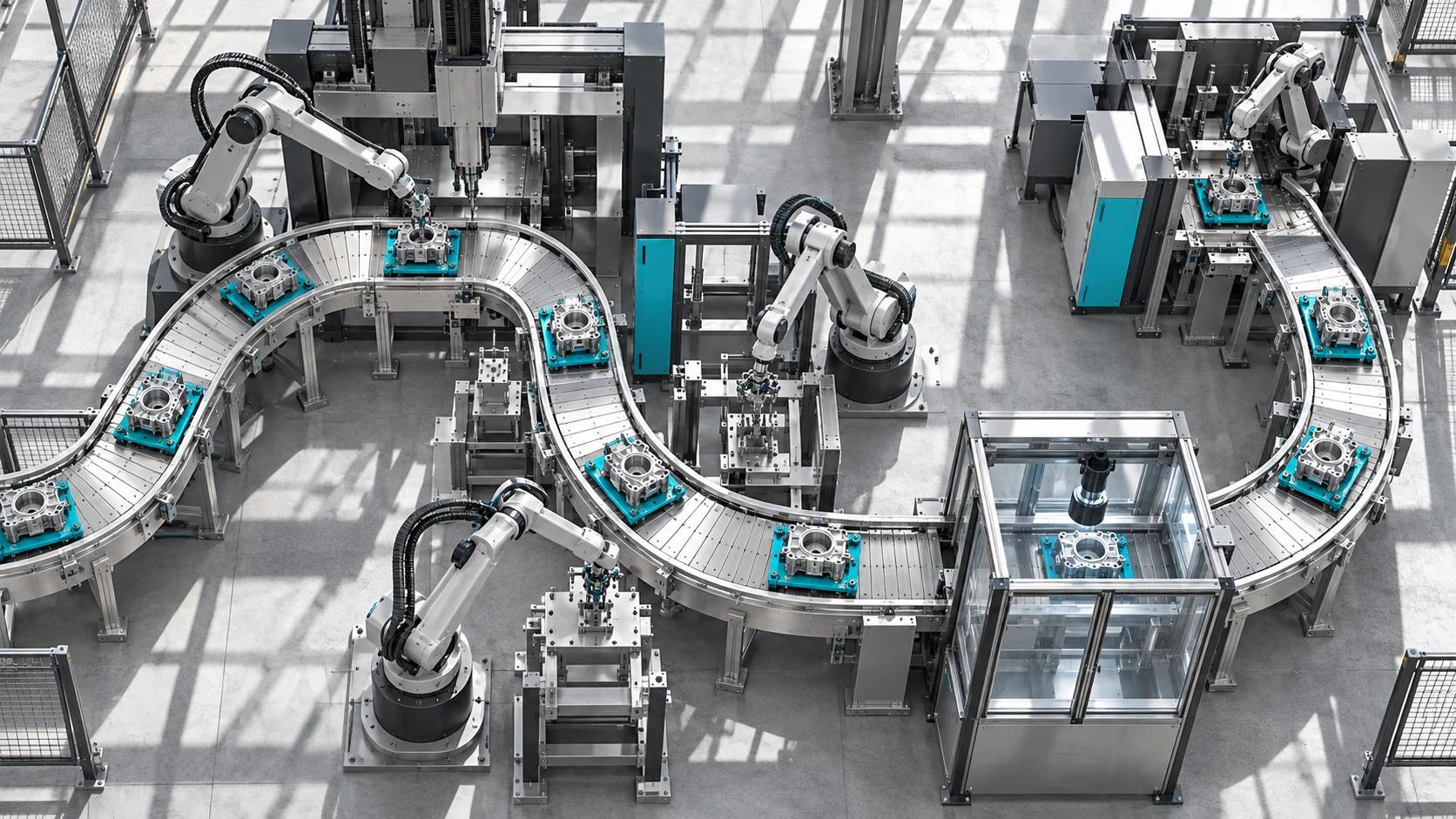
The hero is a conceptual editorial illustration. Skills and qualifications are presented qualitatively after contextual review. A requested platform, degree or travel requirement in an individual advertisement is not treated as a universal industry requirement. Reproducible derivations, exclusion decisions, source hashes and qualification spans are available in the research exports.
Source references (19)
- Black Scarab: November 2 employer research
Dated selected-employer dataset and original role definitions.
- Reviewed industrial automation evidence
Ten contextual full-source reviews, qualification spans and original source hashes.
- Industrial automation compensation derivation
Reviewed eligibility, two annual observations, excluded records and reproducible estimate.
- Agile Robots: Automation Engineer (m/f/d) PLC & Commissioning
Advertisement collected November 2, 2026. Full-source contextual review, qualification spans and original source hashes are preserved in the evidence export.
- Anduril Industries: Controls Engineer, Manufacturing Automation
Advertisement collected November 2, 2026. Full-source contextual review, qualification spans and original source hashes are preserved in the evidence export.
- Anduril Industries: Senior Controls Engineer, Manufacturing Automation
Advertisement collected November 2, 2026. Full-source contextual review, qualification spans and original source hashes are preserved in the evidence export.
- Intrinsic: Senior Automation and Controls Engineer
Advertisement collected November 2, 2026. Full-source contextual review, qualification spans and original source hashes are preserved in the evidence export.
- Nomagic: Senior Automation Engineer
Advertisement collected November 2, 2026. Full-source contextual review, qualification spans and original source hashes are preserved in the evidence export.
- OSARO: Controls Engineer, PLC Programming
Advertisement collected November 2, 2026. Full-source contextual review, qualification spans and original source hashes are preserved in the evidence export.
- Saronic: Manufacturing Automation Engineer
Advertisement collected November 2, 2026. Full-source contextual review, qualification spans and original source hashes are preserved in the evidence export.
- Saronic: Controls System Engineer
Advertisement collected November 2, 2026. Full-source contextual review, qualification spans and original source hashes are preserved in the evidence export.
- Skydio: Senior Automation Controls Engineer
Advertisement collected November 2, 2026. Full-source contextual review, qualification spans and original source hashes are preserved in the evidence export.
- Formic: Controls & Automation Engineer
Advertisement collected November 2, 2026. Full-source contextual review, qualification spans and original source hashes are preserved in the evidence export.
- Beckhoff: first steps — state machine, timer, trigger
Official PLC example using state transitions, timer monitoring and an edge trigger.
- CODESYS: testing in simulation mode
Official documentation for testing and debugging an application without a physical target device.
- Inductive Automation: introducing Ignition
Official description of supervisory control, data display and industrial application functions.
- CODESYS: PLC development environment
Official industrial automation software, development environment and learning resources.
- PLCopen: industrial control programming
Official vendor-independent industrial control programming standards and guidelines.
- OSHA Technical Manual: industrial robot systems
Application-specific hazard assessment, safeguarding and control-system considerations.